Update Document
Click the ⋮ icon at the end of a row, then select Update Document to replace the document with a newer version.
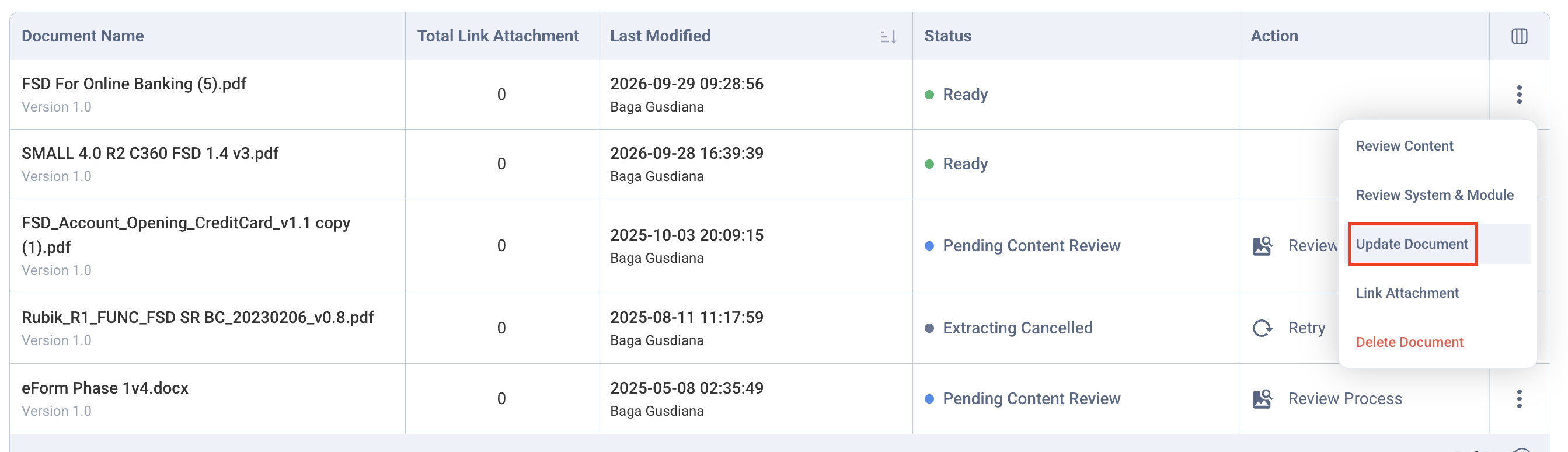
This opens the Update Document dialog.
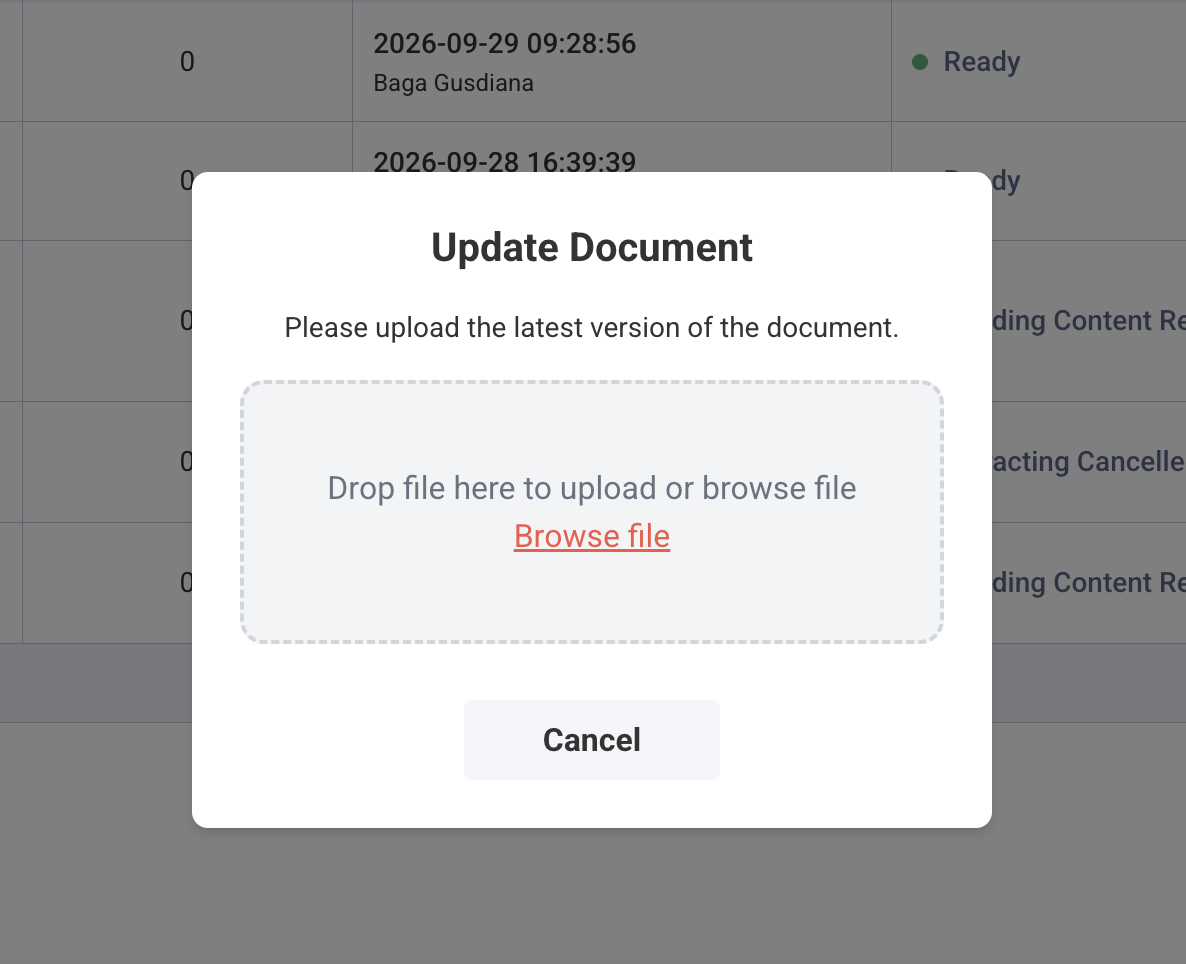
Drop the latest version of the document into the upload area, or click Browse file to select it, or click Cancel to close the dialog without updating.
